Niva AI credits
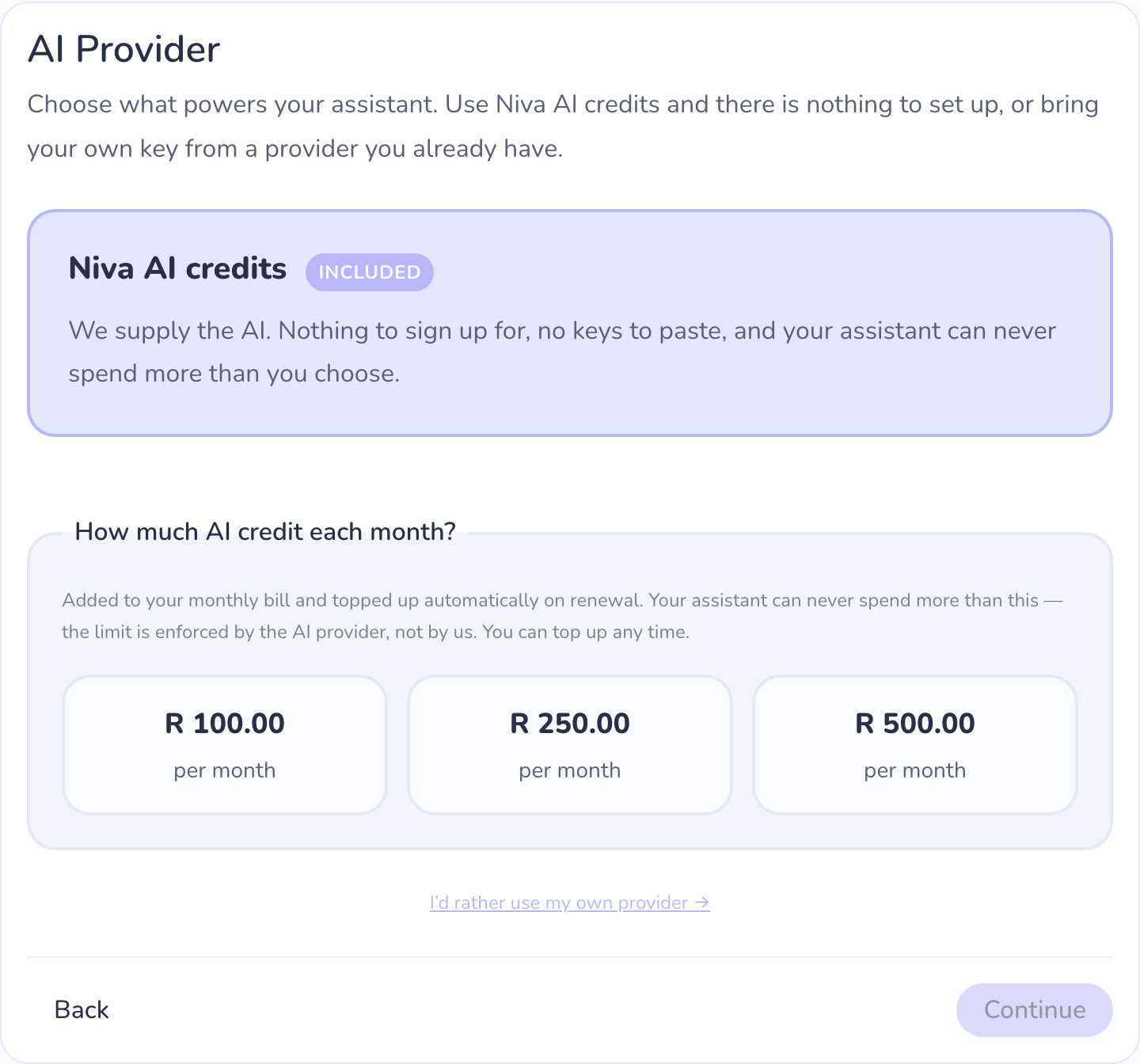
Every other option on this page asks you to bring a credential from an AI
company — an API key, or a subscription you sign in to. Niva AI credits
is the option that asks for nothing. You choose how much AI credit you want
each month, it's added to your Niva bill, and your assistant works from the
moment it starts.
What you pay
Two lines on one invoice, charged as a single payment:
- your instance (the server your assistant runs on), and
- your monthly AI credit.
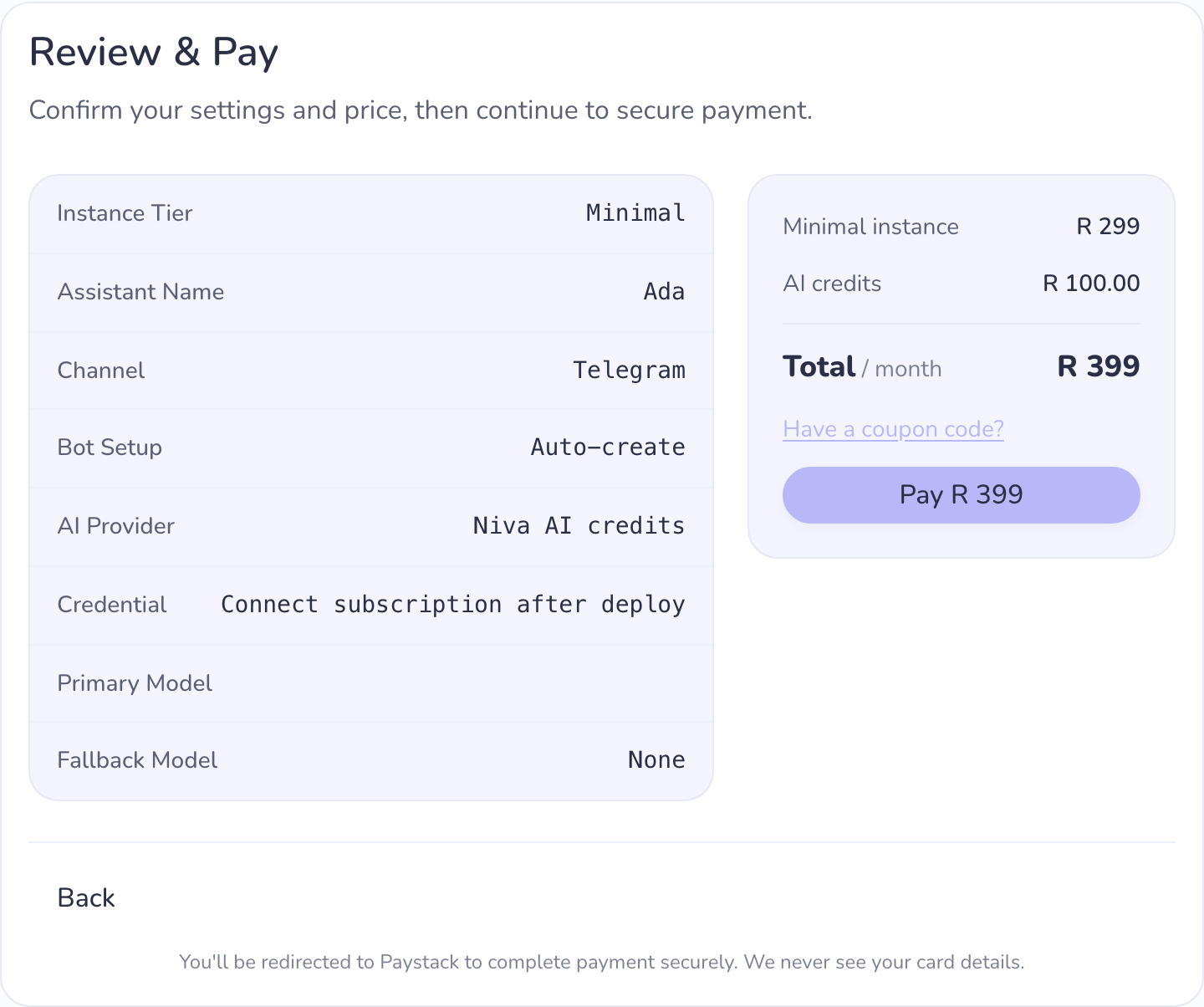
You choose the credit amount when you create your assistant. It's required
for this option — an assistant with no credit has nothing to think with.
You cannot overspend
Your assistant can never use more AI than you've bought. The spending limit
is enforced by the AI provider itself, on a key that belongs only to your
assistant — not by a rule on our side that could be got around.
There is no automatic recharge. We will never top up your card because
your assistant got busy. Running out is a stop, not a surprise charge.
Running low
Unused credit carries over to the next month.
You'll be warned twice before it runs out — once when it's getting low, and
again when it's nearly gone. If your assistant is on Telegram, the warnings
arrive in your chat with it; on any channel, they're emailed to you, and a
banner appears on the instance's Providers tab.
If credit does run out, your assistant stops replying until you top up.
Nothing else is affected — your instance keeps running, your settings and
history are untouched, and topping up brings it straight back.
Topping up
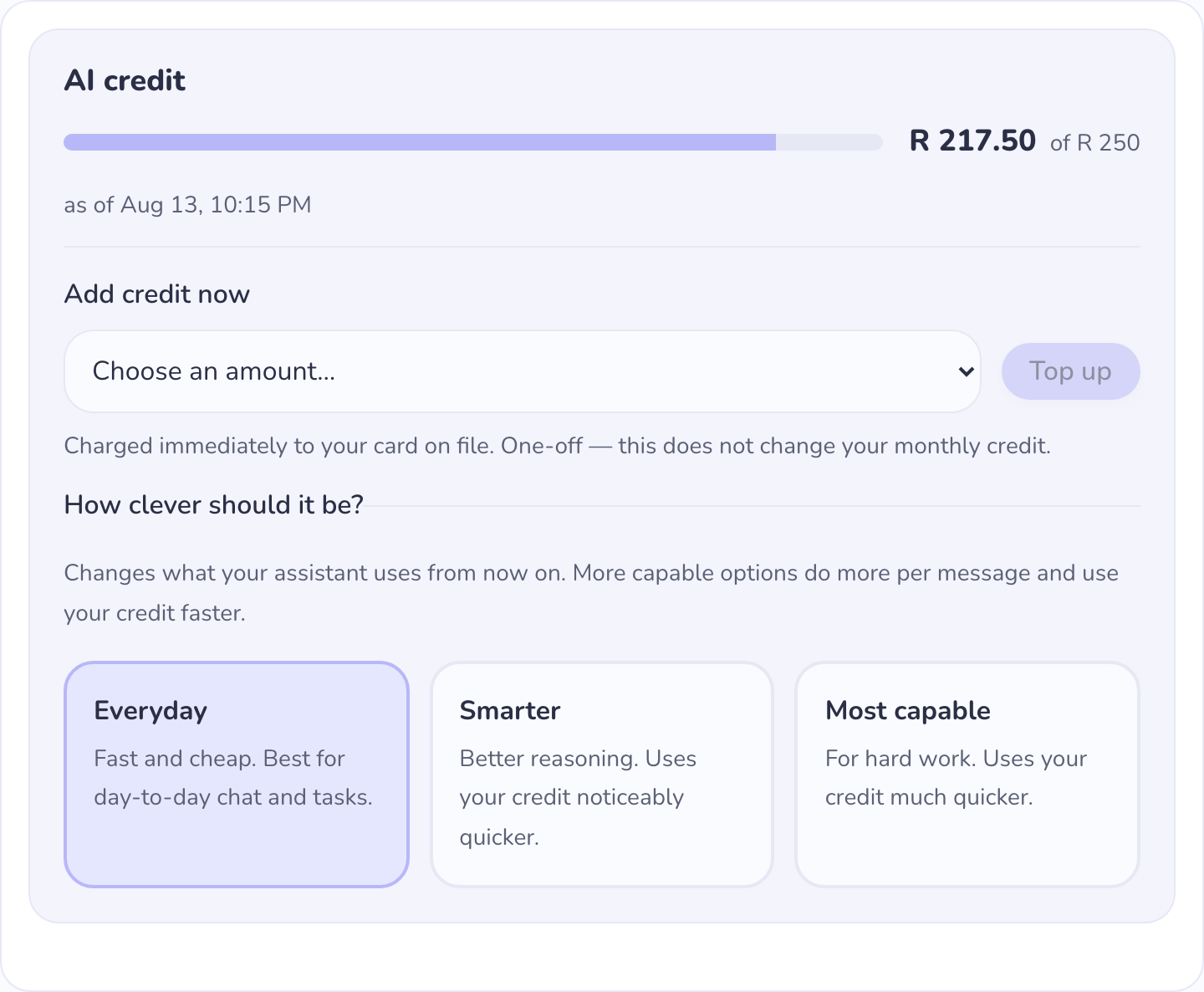
Open your instance, go to Providers, choose an amount, and pay. It's
charged immediately to the card on file and is a one-off — your monthly
credit amount doesn't change.
Each top-up appears as its own line in your invoice list, labelled as an AI
credit top-up so it's never confused with your subscription.
Choosing how clever your assistant is
Credit customers choose from a small set of options rather than a catalogue
of model names — from a fast, cheap everyday option up to one for genuinely
hard work. The more capable options do more per message and use your credit
faster.
Switching later
The AI option is fixed when your assistant is created. If you later want to
bring your own API key instead, create a new assistant with that provider —
an existing one can't be converted.